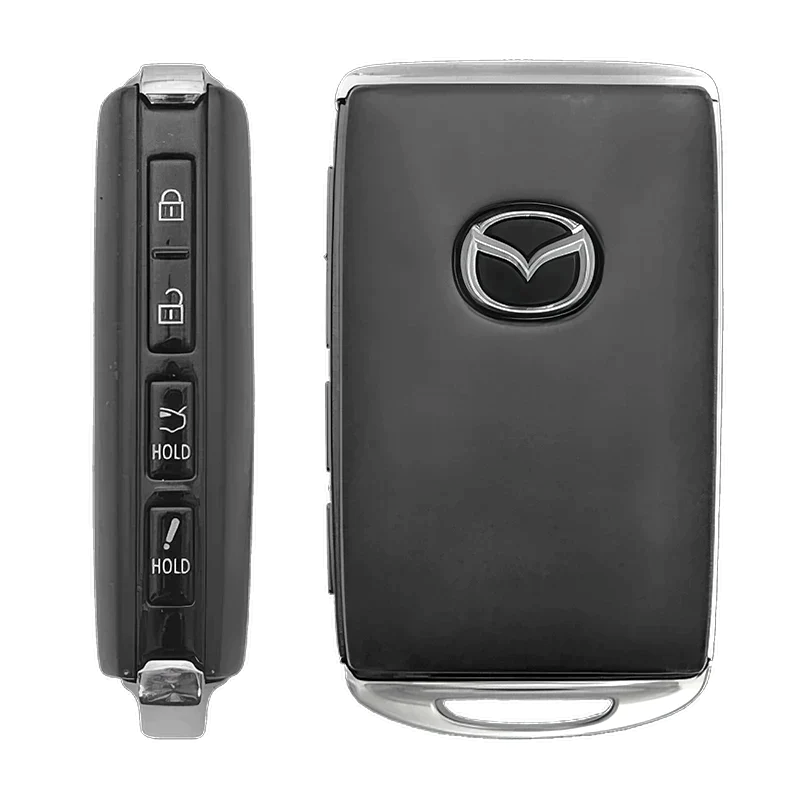
The more you know about Mazda parts and systems, the more confident you’ll feel when taking care of your vehicle. If you’re curious about at-home tasks, like how to open a Mazda key when the time comes for a new battery, Mazda of Salem is here to help. Learn about maintenance and service tips at our dealership today.
Remove the Key
In order to access the section of the fob you need to replace the battery, you’ll want to begin by first removing the auxiliary key. This is on the keychain attached to the fob. On the back of your fob, you will find a button to release and remove the auxiliary key, which you’ll want to press. If you have an older Mazda vehicle, you may find that you need to use a flathead screwdriver to reach the release tab.
Open the Fob
Now that you have removed the auxiliary key, you will have better access to the fob case. In most Mazda vehicles, you’ll find a slot along the side seam of the fob. Grab your flathead screwdriver again and carefully begin to pry the case open on each side a little at a time, then very gently separate the two pieces of the casing.
Remove the Battery
Once the casing is open, you should be able to see the battery. Some older vehicle keys have a tab you will need to pull to release the battery. Remove the old battery, taking note of its position so you can put its replacement in properly.
Replace the Battery
Next, insert your new battery. Put it into the same position the old battery was in. Reassemble the case and return the auxiliary key. Now test your key out!
Still Have Questions About How to Open a MAZDA Key? Contact Us Today
No matter what your Mazda service or car care needs might be, Mazda of Salem is the team you can count on. We’re here for the little stuff and the big, from keys to powertrains. Schedule a service appointment at our dealership to get started.